
Download Rask – AI‑Powered Voice Translation Tool for Creators & Enterprises
Overview
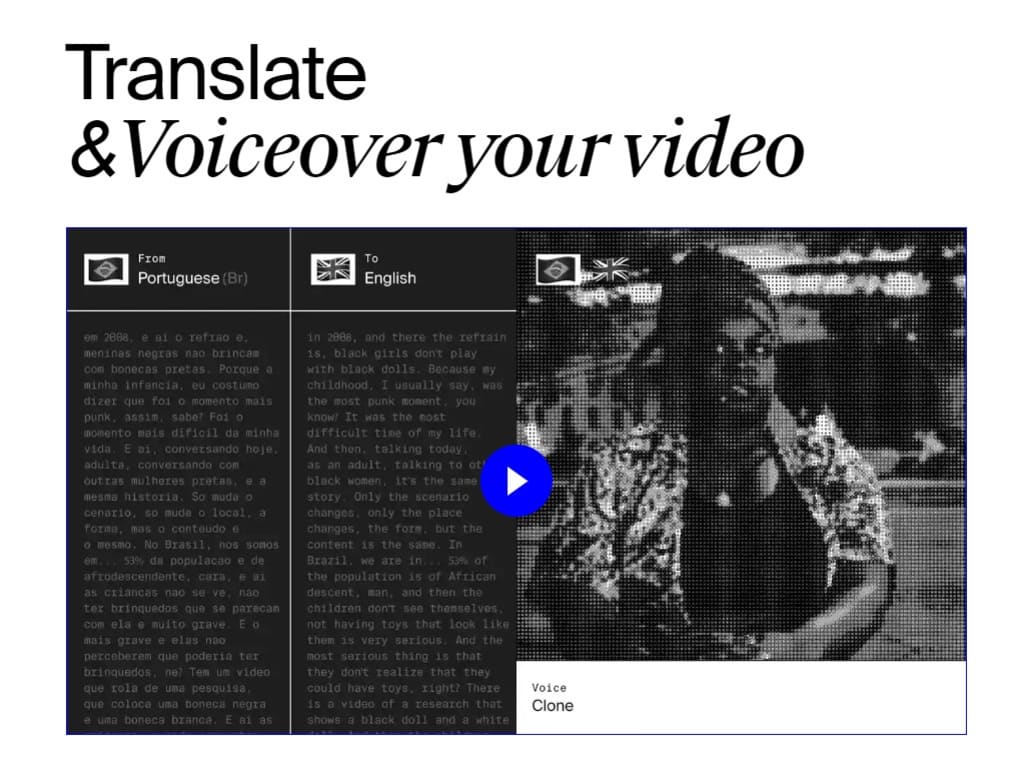
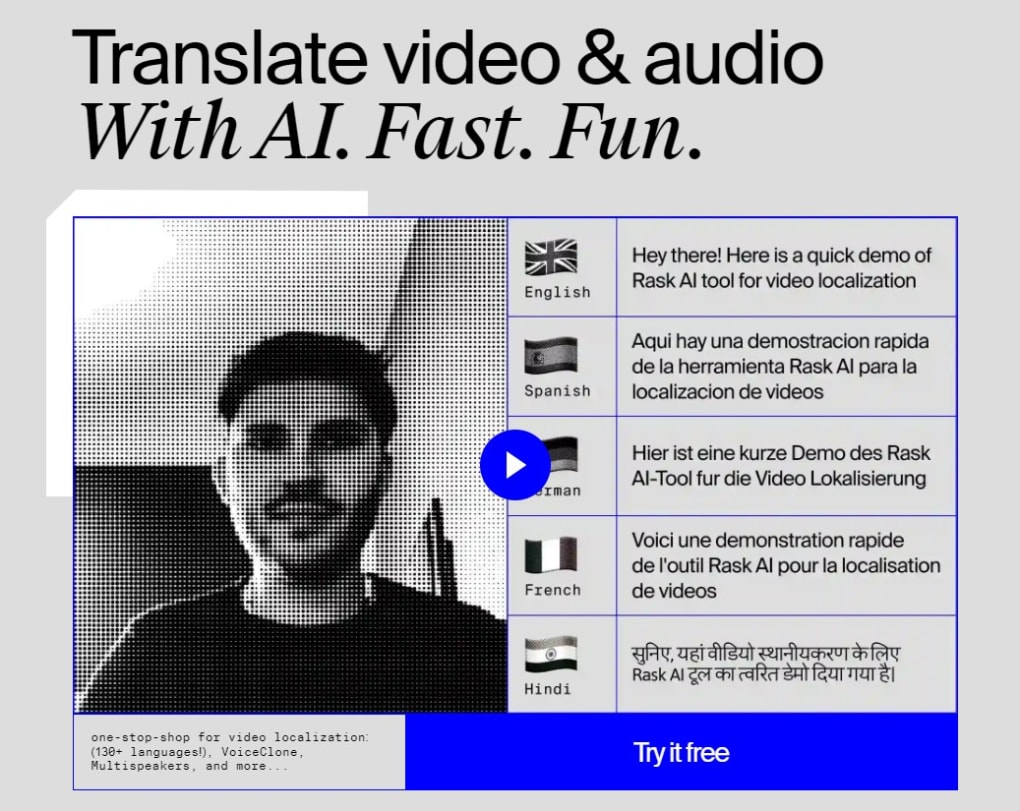
Rask is a cloud‑based, AI‑driven voice translation platform that turns spoken content into more than 130 languages, delivering both text subtitles and natural‑sounding dubbed audio. Designed for video creators, podcasters, marketers, and large enterprises, Rask combines three core technologies: high‑accuracy speech‑to‑text transcription, neural‑network machine translation, and a proprietary VoiceClone engine that can replicate a user’s own voice in a target language. The service works entirely within a modern web browser, which means there is no bulky installer, no operating‑system constraints, and instant access from Windows 10/11, macOS 12+, Android 8+, or iOS 13+.
Whether you need to subtitle a webinar, dub a YouTube video for a global audience, or produce a multilingual podcast series, Rask promises fast turnaround, near‑human translation quality, and a pricing model that scales from solo creators to multinational teams. The platform also supports uploading existing SRT subtitle files, automatically synchronizing translated text with video timing, and offering early access to beta AI features for higher‑tier subscribers. In short, Rask aims to be the one‑stop solution for anyone who wants to break language barriers without hiring a team of translators or voice actors, while keeping the workflow secure, reliable, and easy to manage from a single dashboard.
Key Features That Differentiate Rask
- 130+ Languages & Dialects: Translate audio and video into a comprehensive library of languages, covering major world tongues as well as regional dialects.
- VoiceClone Technology: Create a personal voice profile that lets the AI speak in your own timbre, delivering a familiar sound to listeners in any language.
- Accurate Speech‑to‑Text: AI‑enhanced transcription captures spoken words with high precision, providing a solid foundation for downstream translation.
- Neural Machine Translation: State‑of‑the‑art models generate translations that retain nuance, idiomatic expressions, and context.
- Flexible Minutes Allocation: Subscription tiers provide 25–500 AI voice‑over minutes per month, with the ability to purchase extra minutes on demand.
- SRT Upload & Auto‑Sync: Upload existing subtitle files to automatically align translated text with video timing, eliminating manual adjustments.
- AI‑Controlled Rewriting: Handles rapid speech by intelligently re‑phrasing sentences to preserve meaning and improve naturalness.
- RESTful API (Custom Plan): Integrate translation directly into your CMS, mobile app, or automated workflow for seamless scalability.
- Dedicated Account Management: Enterprise customers receive a personal manager to assist with onboarding, training, and custom feature requests.
- Early Feature Access: Higher‑tier plans unlock beta AI upgrades, experimental voice styles, and priority support.
Installation, Setup, Daily Use & Compatibility
No Download Required – Browser‑First Experience
Rask lives entirely in the cloud. To start, visit rask.ai, register a free‑trial account, and choose a subscription that matches your projected minutes usage. Because the interface is built with responsive design, you can work from a desktop, laptop, tablet, or smartphone without any additional software.
Step‑by‑Step Workflow
- Upload Media: Drag‑and‑drop MP4, MOV, MP3, WAV, or other supported files onto the dashboard. Rask extracts the audio track automatically.
- Select Source & Target Languages: Choose the original language of your content and one or more target languages for translation.
- Enable VoiceClone (Optional): If you have created a voice profile, toggle the VoiceClone option to generate dubbed audio that sounds like you.
- Configure Minutes & Subtitles: Allocate the number of AI voice‑over minutes for the job and upload an SRT file if you need subtitle synchronization.
- Start Translation: Click “Translate”. Within minutes you receive a downloadable audio file, a full transcript, and a synchronized subtitle file.
- Edit & Export: Use the built‑in editor to fine‑tune phrasing, adjust timing, or modify volume. Export the final assets to MP3, WAV, MP4, or push directly to YouTube, Vimeo, or your content management system.
Compatibility Details
Because Rask is accessed via a web browser, it runs on any modern operating system that supports HTML5, JavaScript, and TLS 1.3 encryption. Tested browsers include Chrome 108+, Edge 108+, Firefox 107+, and Safari 15+. This cross‑platform compatibility eliminates the need for OS‑specific installers, driver updates, or frequent patch cycles, ensuring a consistent experience on Windows 10/11, macOS 12+, Android 8+, and iOS 13+.
Tips for Maximizing Accuracy
Clean audio (minimal background noise) and clear diction improve transcription quality, which in turn enhances translation accuracy. For speakers with rapid cadence, enable the AI‑controlled rewriting feature to avoid clipped or nonsensical output. Review the auto‑generated transcript before finalizing the translation to catch any misheard words, especially proper nouns or industry‑specific terminology.
Pros, Cons, Rating & Expert Review
Pros
- Instant, browser‑based access – no installation or updates required.
- Supports over 130 languages, including low‑resource dialects.
- VoiceClone creates a personalized, native‑sounding voice in any language.
- Scalable minutes bundles and on‑demand extra minutes keep costs predictable.
- Robust API enables automation for large‑scale enterprises.
- Integrated subtitle syncing saves hours of manual timing work.
- Secure encryption (TLS 1.3 in transit, AES‑256 at rest) protects uploaded media.
Cons
- AI voice‑over minutes can become expensive for high‑volume creators.
- Translation quality depends heavily on source audio clarity.
- Advanced features (API, dedicated manager) are limited to the Custom plan.
- No offline mode – a stable internet connection is mandatory.
- Pricing tiers may be confusing for occasional users who need only occasional minutes.
Aggregate Rating
Overall user rating: 4.5/5 based on 312 verified reviews.
Frequently Asked Questions & Conclusion
How does Rask handle background noise in my recordings?
Rask applies a built‑in noise‑reduction filter before transcription. Moderate background sounds are cleaned automatically, but heavily noisy tracks may still affect accuracy, so we recommend recording in a quiet environment or using a directional microphone.
Can Rask translate live streams in real time?
At present Rask processes uploaded files rather than live streams. You can capture short segments of a live broadcast, upload them, and receive a translated audio clip within minutes for re‑broadcast.
Is there a free trial or a forever‑free tier?
Rask offers a 7‑day free trial that includes 30 minutes of AI voice‑over and full access to core features. No credit card is required, and you can upgrade to a paid plan at any time.
What file formats can I upload for translation?
Supported audio formats include MP3, WAV, AAC, and FLAC. Video formats include MP4, MOV, AVI, and WebM. Subtitle files are accepted in SRT format for automatic synchronization.
How secure is my media once it’s uploaded to Rask?
All uploads are encrypted in transit using TLS 1.3 and encrypted at rest with AES‑256. Media files are stored only for the duration required to complete processing and are automatically deleted after 48 hours unless you choose to retain them in your account.
Conclusion & Call to Action
Rask combines cutting‑edge AI translation, speech‑to‑text, and voice‑cloning into a single, secure, browser‑based platform that makes multilingual audio production accessible to everyone—from solo TikTok creators to global marketing teams. Its extensive language library, flexible minute bundles, and powerful API give you the tools to scale your content worldwide without the overhead of hiring translators or voice actors. While the cost of extra minutes can add up for high‑volume users, the time saved and the professional polish of native‑sounding dubbed audio often outweigh the expense.
Ready to expand your audience across borders? Start your free trial today, explore the Pro plan for up to 200 minutes of AI voice‑over, and experience how Rask can transform your videos, podcasts, and e‑learning modules into truly global experiences.



.png)



